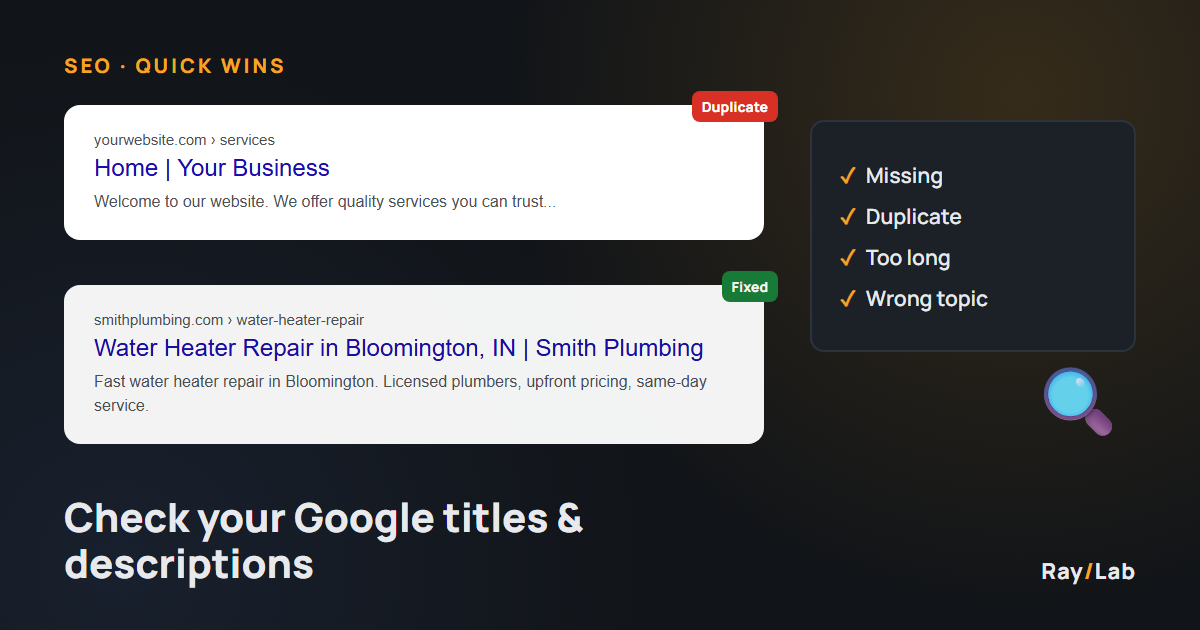
Before anyone clicks on your website from Google, they read two things: the blue page title and the short description underneath it. Those few lines are your first impression. If they’re missing, repeated across a dozen pages, or just plain wrong, people scroll right past you to a competitor.
The good news is you don’t need to hire anyone or buy software to check them. With a couple of free tools, you can review your whole site in one afternoon. Here’s how I do it.
Step 1: See what Google is showing right now
Go to Google and search site:yourwebsite.com (with your own domain, no spaces). Google lists the pages it has indexed, each with the title and description people actually see.
Scroll through and ask yourself:
- Does each title say what the page is about, and where you are?
- Do several pages have the exact same title or description?
- Is any description cut off, confusing, or about the wrong topic?
Jot down anything that looks off. This quick scan alone often turns up the biggest problems.
Step 2: Find your sitemap
Your sitemap is a list of every page you want Google to know about. Most WordPress SEO plugins create one automatically. Try these in your browser:
- yourwebsite.com/sitemap_index.xml (Yoast and Rank Math)
- yourwebsite.com/sitemap.xml (many other setups)
Click into each section (pages, posts, and so on) to see the full list. Look for anything that shouldn’t be there, like old test pages, or copies with “-2” at the end of the address from when a page was duplicated.
Step 3: Check a single page up close
Open any page on your site, right-click, and choose View Page Source (or press Ctrl+U). Then press Ctrl+F and search for:
- <title> to see the page title
- name=”description” to see the meta description
This is exactly what search engines read. It’s a great way to double-check a page that looks strange in Google.
Step 4: Check every page at once with Screaming Frog (free)
Checking pages one by one gets slow. Screaming Frog SEO Spider is a free download that crawls up to 500 pages, plenty for most small businesses.
- Download and open Screaming Frog, paste in your homepage address, and click Start.
- When it finishes, open the Page Titles tab. Use the filter dropdown to check Missing, Duplicate, and Over 60 Characters.
- Do the same on the Meta Description tab: Missing, Duplicate, and Over 155 Characters.
- Click Export on each tab to save a spreadsheet you can work from.
What to look for
- Missing titles or descriptions. Google will make something up, and it’s rarely what you’d choose.
- Duplicates. If ten pages share one description, Google can’t tell them apart, and neither can customers.
- Too long. Titles over about 60 characters and descriptions over about 155 tend to get cut off.
- Copy-and-paste mistakes. Read them, don’t just count them. It’s surprisingly common to find a description that talks about a completely different service, left over from the page it was copied from.
- Locations people don’t search for. If a title names a building or campus instead of the city customers type into Google, it’s easy to miss.
Step 5: Make a fix list and start with your most important pages
Add a column to your exported spreadsheet for the new title and description. Start with the pages that bring in business: your homepage, main services, and location pages. Blog posts and policy pages can wait.
A simple formula that works for most local businesses:
- Title: Service + City, State | Business Name
Example: Water Heater Repair in Bloomington, IN | Smith Plumbing - Description: What you do + something that sets you apart + a next step
Example: Fast water heater repair and replacement in Bloomington. Licensed plumbers, upfront pricing, and same-day service. Call or book online today.
Then update each page in your SEO plugin. In WordPress, that’s usually the Yoast or Rank Math box below the page editor.
Step 6: Let Google know, then watch the results
If you use Google Search Console, paste each updated page into the search bar at the top and click Request Indexing. Over the next few weeks, check the Performance report to see whether those pages are getting more clicks from the same number of searches. Better titles and descriptions often lift clicks without any change in rankings.
One afternoon, real results
This is one of the easiest SEO wins there is. No new pages, no special skills, just making sure the first thing people see in Google is clear, accurate, and worth clicking. If you’d rather have someone go through it with you, get in touch and I’ll take a look at your site.